Block replication allows you to quickly duplicate existing logic in a rule without manually recreating it. This is especially useful when the content of the blocks is similar, as it saves time and ensures consistency.
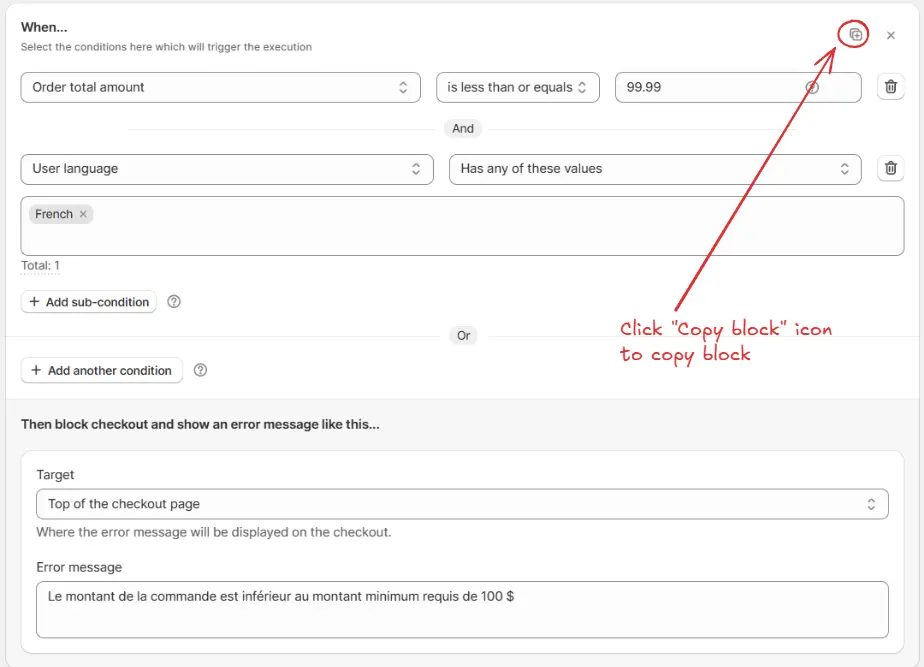
Click the Copy block icon on the block you want to duplicate. This will copy the entire block, including its conditions and actions.
After copying, the **tick icon** and **"Copied"** text will appear in place of the Copy block icon. Also, a confirmation message **"Block copied successfully!"** will be shown at the bottom.
Paste the copied block below by clicking on the Paste block icon inside the same rule or any other same type rule.
A confirmation message **"Block pasted successfully!"** will be shown at the bottom.

If you copy more than one block, only the **last copied block** will be pasted, not all.
Modify the necessary conditions, values, or actions in the pasted block to match the new scenario. This allows you to reuse the structure while customizing it for the new case.
Example:
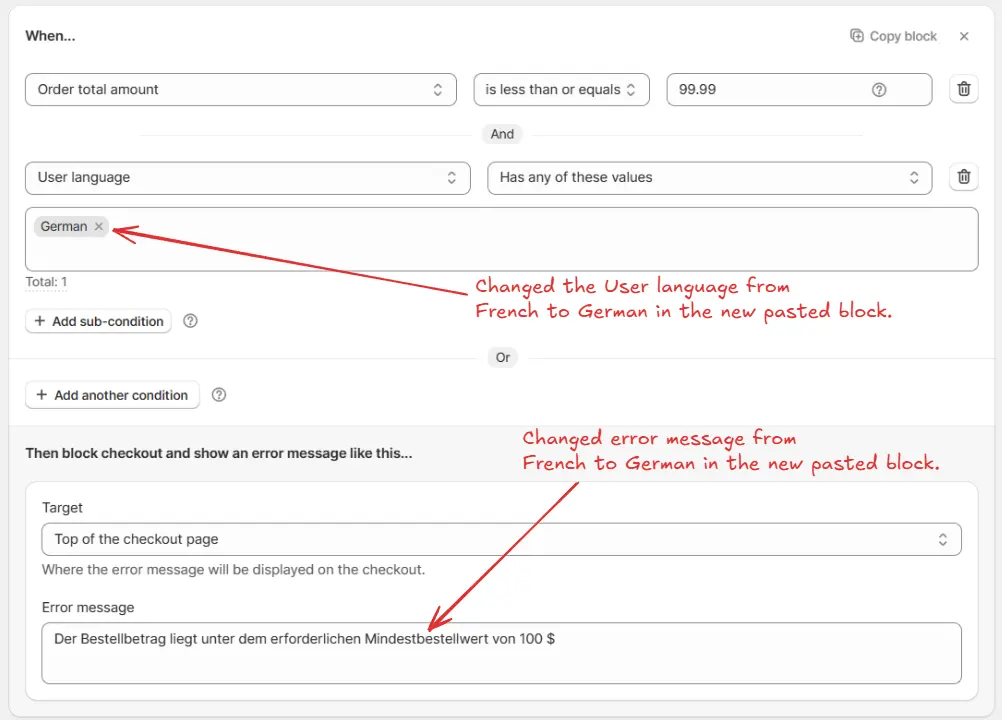
If you copied a block where the sub-condition User language is set to French with the error message in French, after pasting the block you can:
Change the sub-condition
User language
from
French
to
German
.
Replace the error message text with the German translation.
This way, the logic of the block remains the same (minimum order check), but the details are customized for a different language.
Let’s create a rule that enforces a minimum order amount while showing error messages in multiple languages.
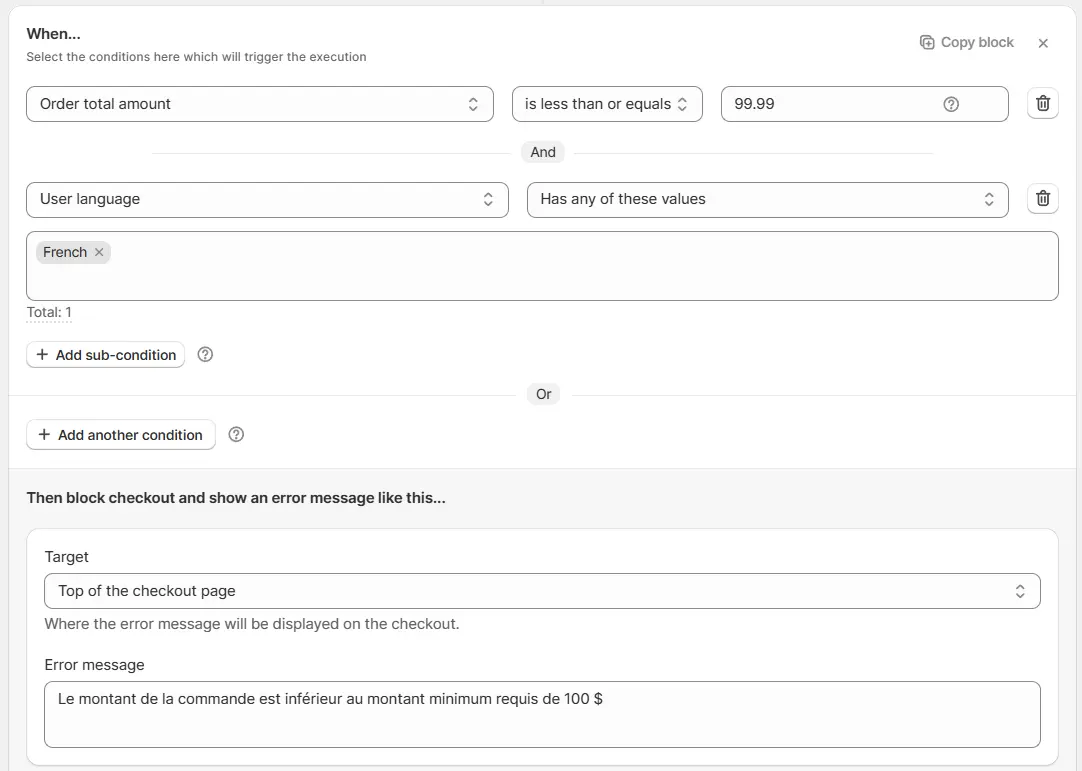
By using block replication, you only need to create the first block (French), then simply copy and paste it inside the same rule, and update the User language condition and error message for German. Finally, add a fallback block for English.
Add the
Order total amount
condition and set it to
less than or equal to 99.99
to trigger an error if the order amount is under 100.
AND sub-condition
User language
is
French
.
Set the error message:
"Le montant de la commande est inférieur au montant minimum requis de 100 $"
Paste the copied block below all blocks by clicking on the
Paste block
icon inside the
same rule
.
Update the
User language
sub-condition to
German
.
Update the error message:
"Der Bestellbetrag liegt unter dem erforderlichen Mindestbestellwert von 100 $"
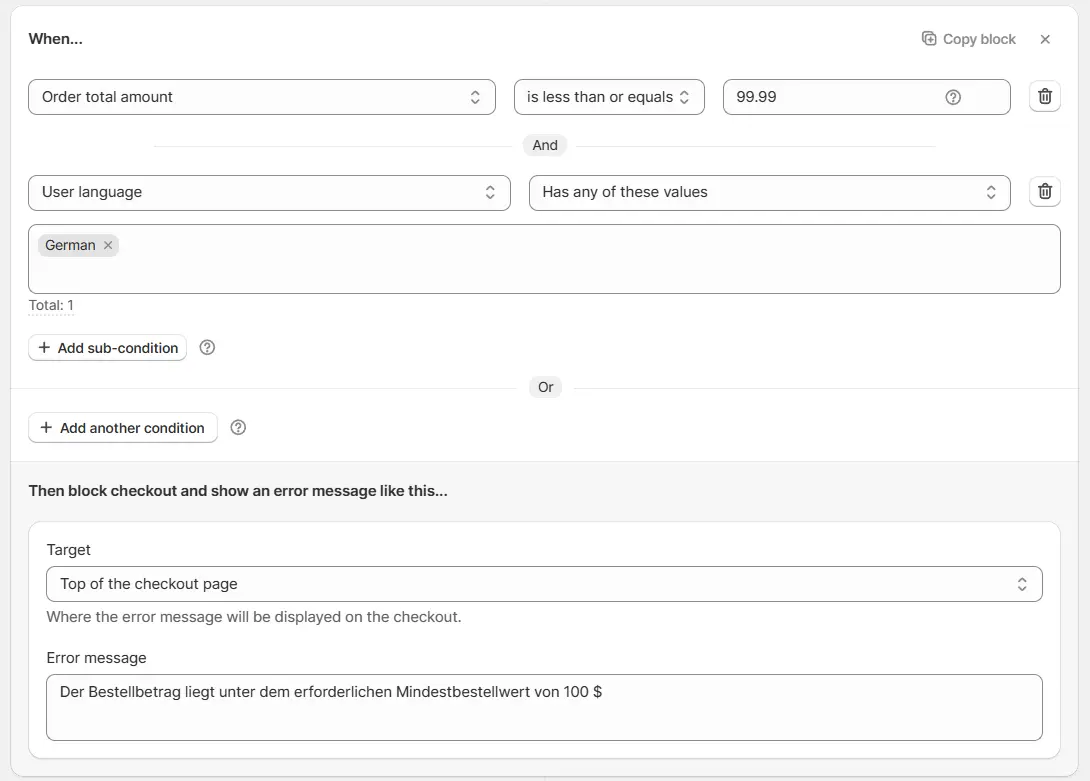
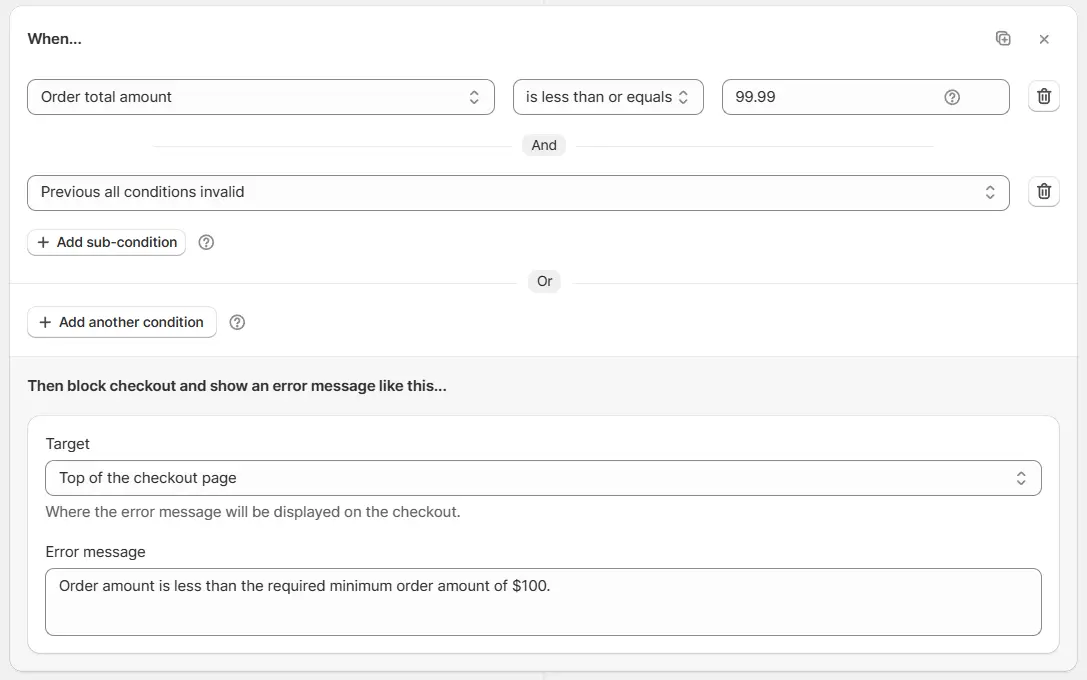
Add the
Order total amount
condition and set it to
less than or equal to 99.99
to trigger an error if the order amount is under 100.
For the
else / fallback condition
, AND sub-condition
Previous all conditions invalid
.
Set the error message:
"Order amount is less than the required minimum order amount of $100"