Overview
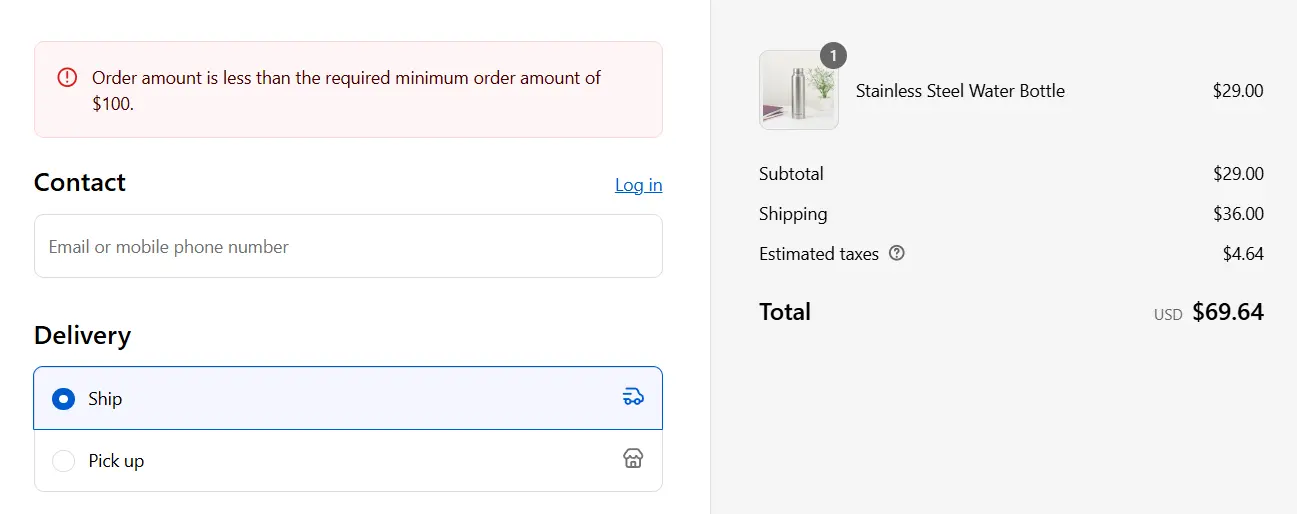
Translations allow you to localize validation error messages for different customer languages. By clicking the Add translation button, you can display error messages in multiple languages at checkout based on the customer's language. You can also define a default fallback message in any language you prefer, which will be shown when a translation is not available.
How to set up
Create a validation rule
Start by creating a rule with the condition(s) of your choice.
For example, Order total amount less than or equal $100

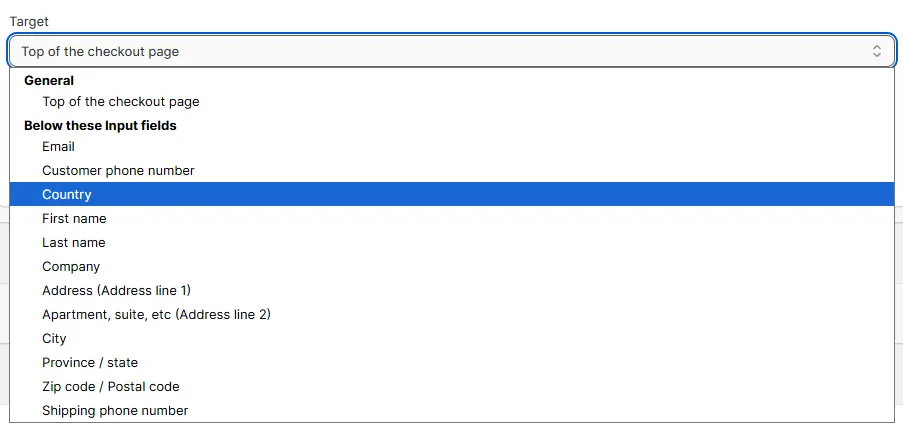
Select target
Select the target where you want the error message to be displayed on the checkout page.
Set default error message
Add the error message in the field. This message will be used as the default error message if no user language is found or if no translation is added for the error message. You can set it in any language you want.

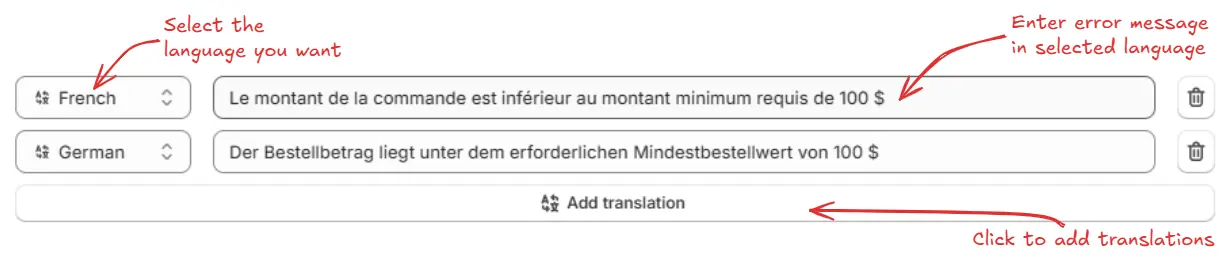
Add translations
Click the Add translation button. From the dropdown, select the language you want and enter the error message in the selected language. Repeat the same process to add translations for multiple languages.
Summary
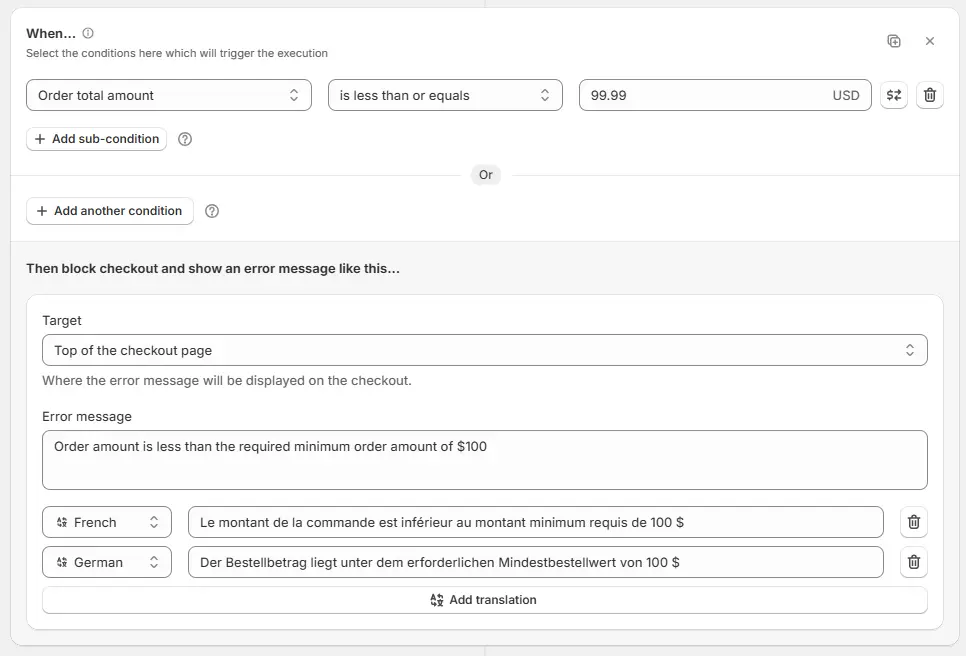
Here is a summary of the rule we created in the steps above:
We set the condition “Order total amount ≤ 99.99” and select the target as “Top of the checkout page”. Our default message is:
“Order amount is less than the required minimum order amount of $100.”
We then translate the error message into French and German:
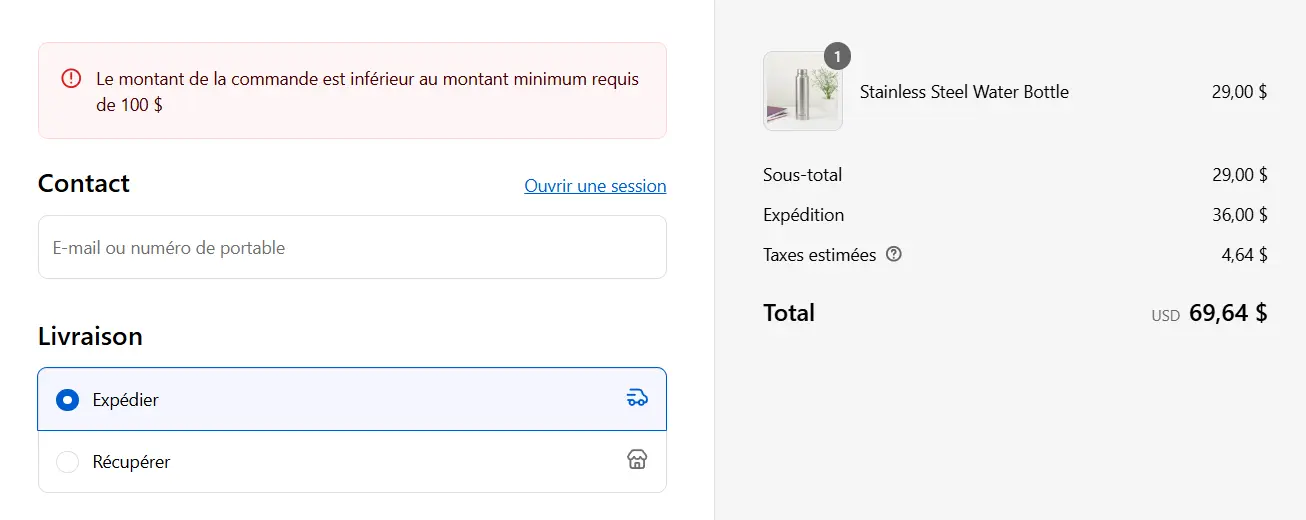
French:
"Le montant de la commande est inférieur au montant minimum requis de 100 $"
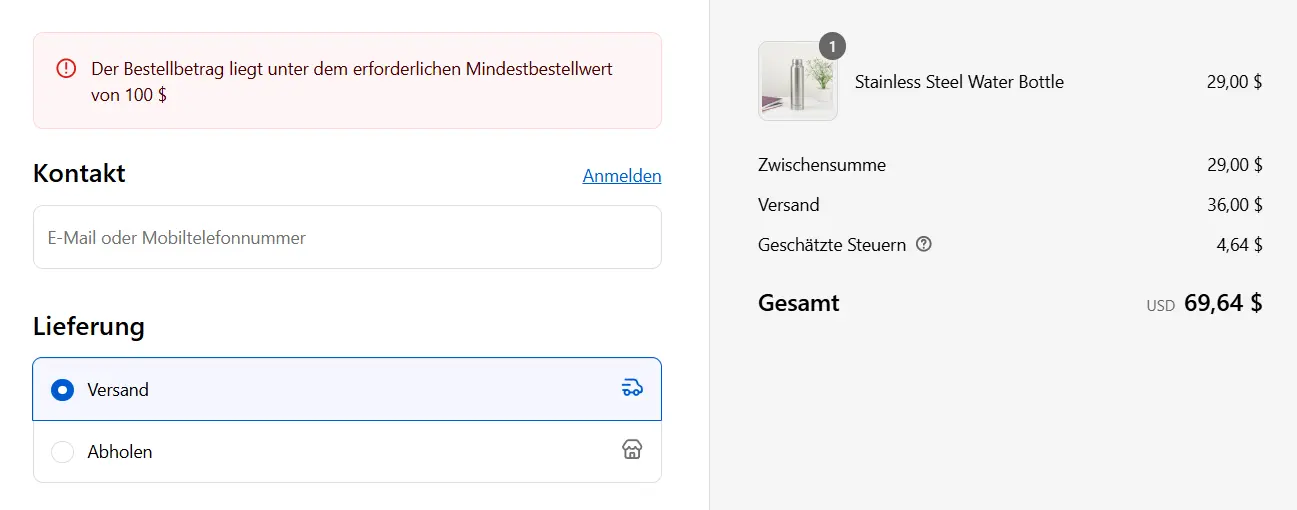
German:
"Der Bestellbetrag liegt unter dem erforderlichen Mindestbestellwert von 100 $"
Here is how you can set it up:
What happens at checkout
If the customer’s
language is French
and the
order amount is less than $100
, they will see the
French error message
at the checkout.
If the customer’s
language is German
and the
order amount is less than $100
, they will see the
German error message
at the checkout.
If the customer’s
language is any other language
and the
order amount is less than $100
, they will see the default
English message
at the checkout.