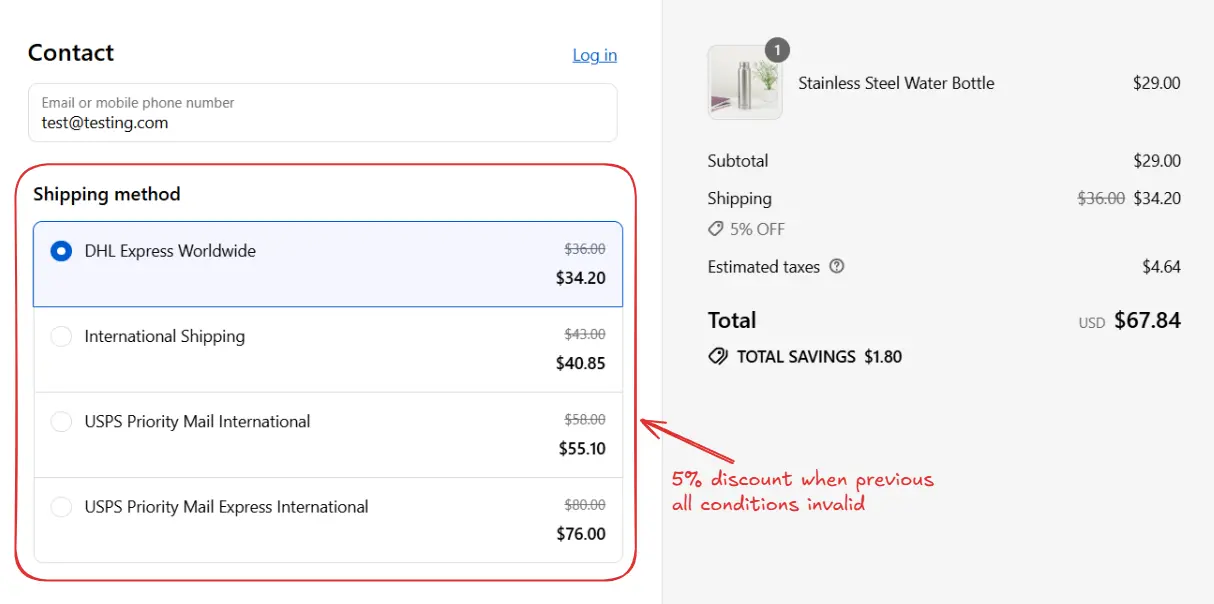
Usually when a rule has more than one blocks, then each block is executed in a sequence from top to bottom, and if conditions for any block are met, then the actions for that block are executed. So, each rule can have multiple actions. But some times we do not want this behavior, we only want one block to execute and then the rule should stop. This is where branching comes in.
Branching allows you to build rules using multiple condition blocks that follow if → else if → else logic. Each block is checked in sequence, and as soon as one block matches, its actions are executed, and the rule stops. This ensures that only one block runs, preventing overlapping or conflicting actions. This is a very powerful feature and can be used to create complex rules with multiple conditions.
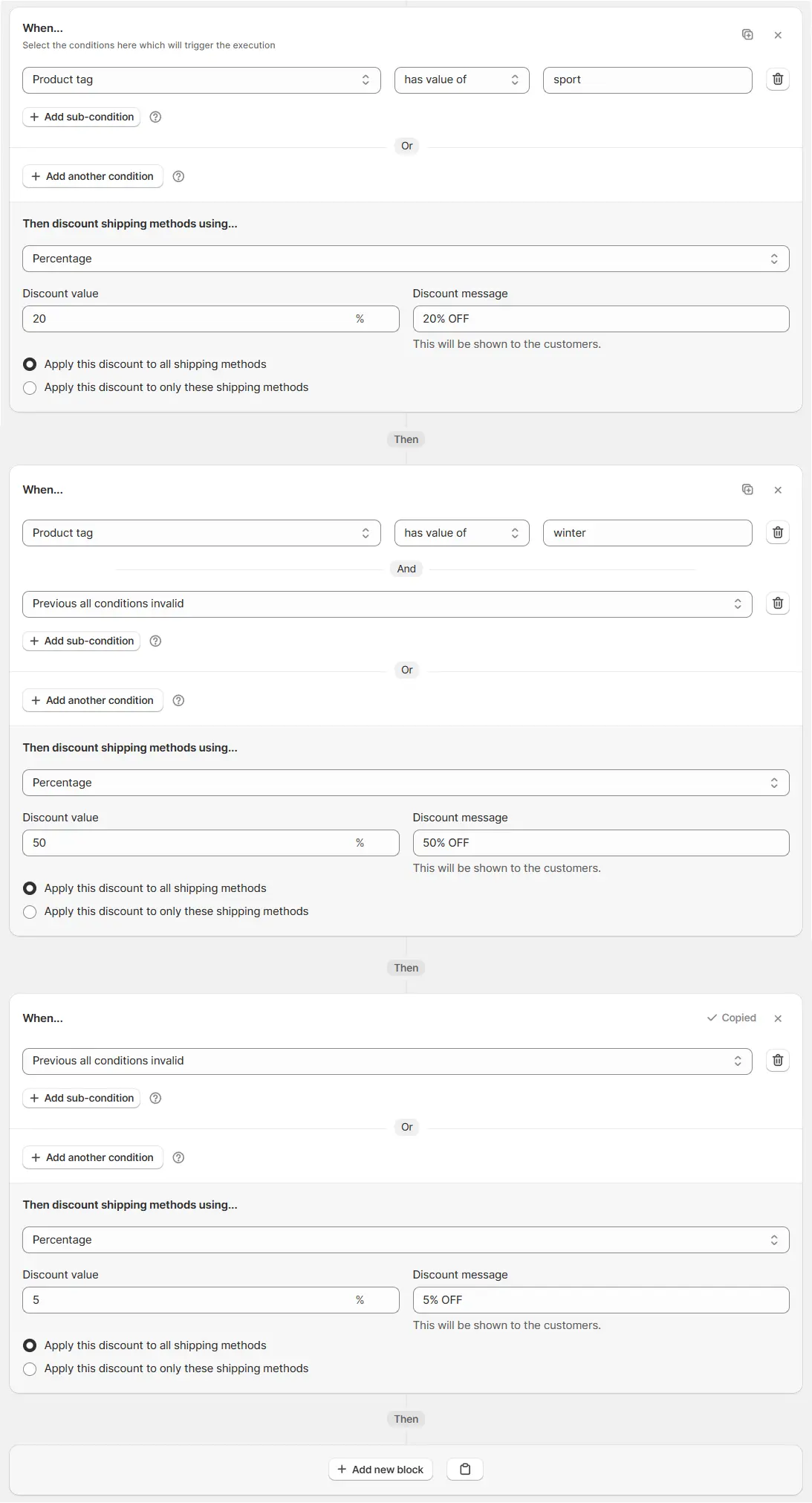
Here is an example of a branching rule with three blocks. Here, we want to apply different discounts based on the product tag and we have a default discount of 5% off on all shipping in the case customer is not eligible for any of the other discounts. Only one block will execute based on the conditions and then the rule will stop.
The key condition here is [Previous all conditions invalid](https://docs.checkoutrules.com/guides/en/essentials/condition-sets/condition-set-1#previous-all-conditions-invalid) in second and third blocks, which ensures only one block will execute based on the conditions and then the rule will stop. Using this condition you can use branching in any rule.
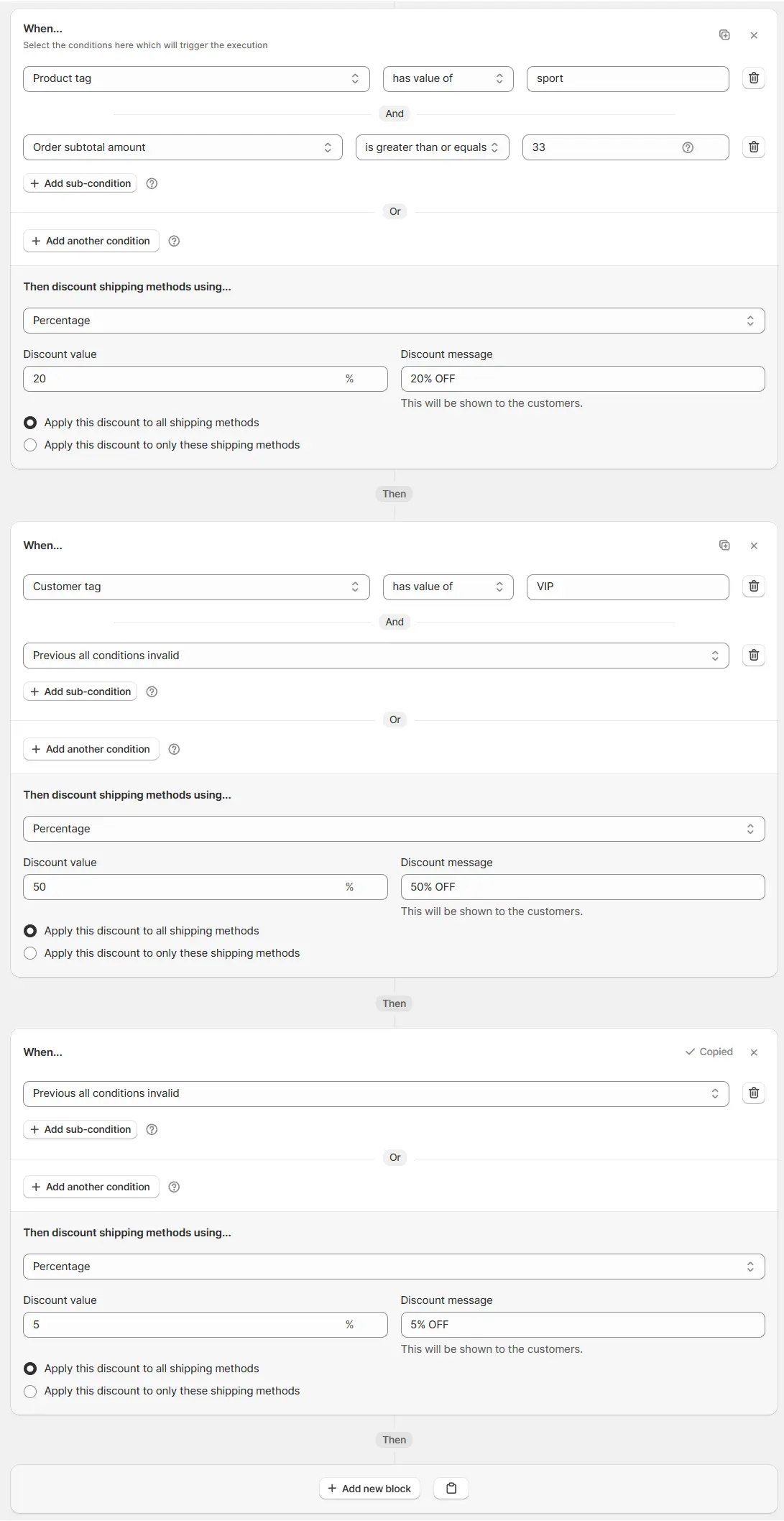
This is how this rule will execute:
If product tag is sport and order subtotal amount is greater than or equal to 33
Then 20% off shipping will be applied and the rule will stop.
Else if customer tag is VIP
Then 50% off shipping will be applied and the rule will stop.
Else (default catch all)
Then 5% off shipping will be applied.
The system starts with the first condition block.
This block can include multiple
sub-conditions
combined with
AND
or
OR
.
If the overall block condition is fulfilled, its
“Then” action
runs (e.g., apply 20% discount).
Once it runs, the system does not check the next blocks.
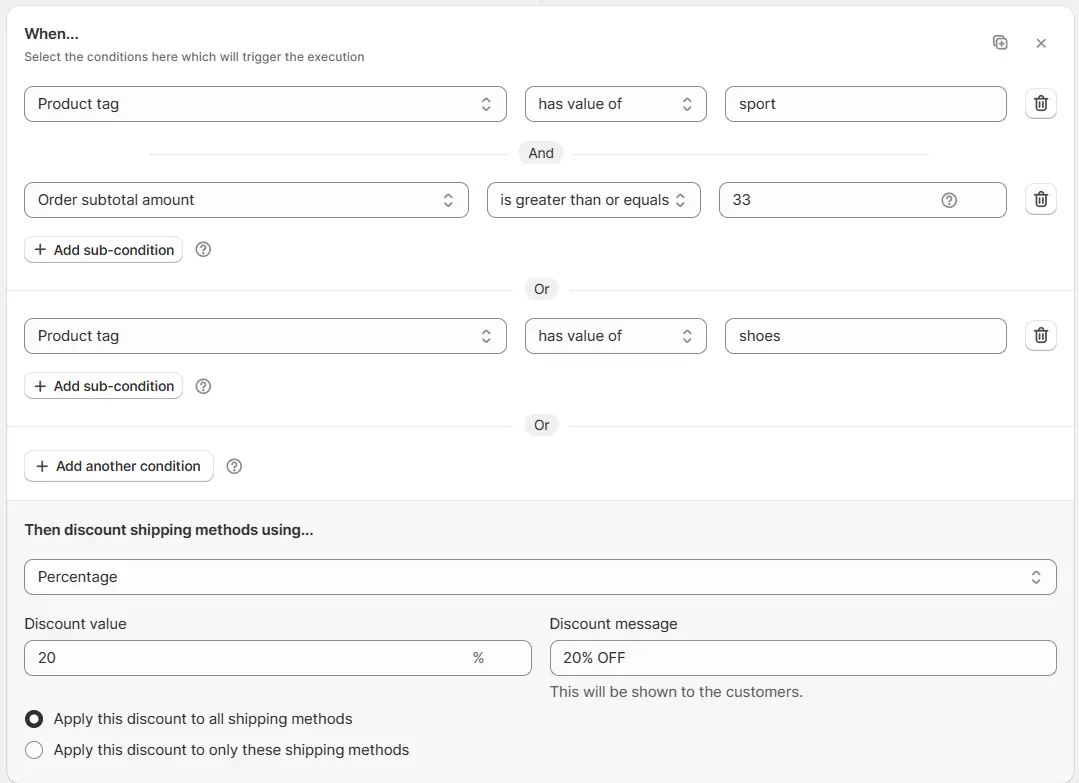
Example: Product tag has value of sportAND Order subtotal amount ≥ 33OR Product tag has value of shoes → Apply 20% OFF on all shipping
If the first block does not match, the system checks the next block(s).
An
Else If
block can contain multiple
sub-conditions
using
AND
or
OR
, and it must include the
"Previous all conditions invalid"
condition as a subcondition.
There may be one or more blocks in sequence. However, if the
"Previous all conditions invalid"
condition is not present, the block will not work as an
Else If
and will behave as a regular
If
block.
If the overall block condition for any block is fulfilled, its
“Then” action
runs (e.g., apply 50% discount), and evaluation stops.
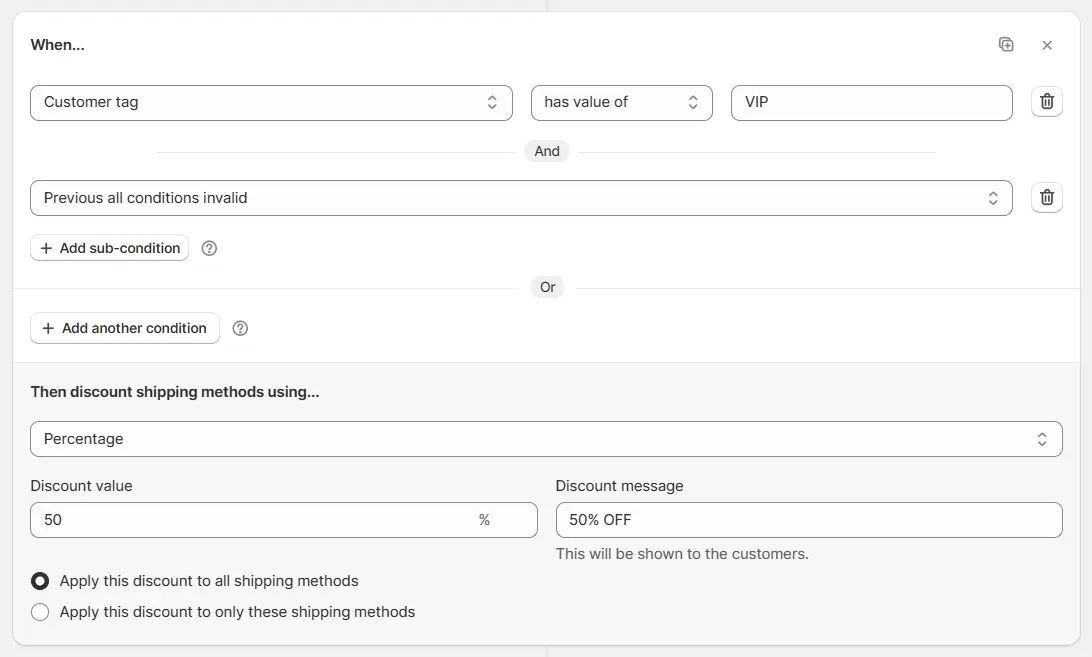
Example: Previous all conditions invalid AND Customer tag has value of VIP → Apply 50% off on all shipping
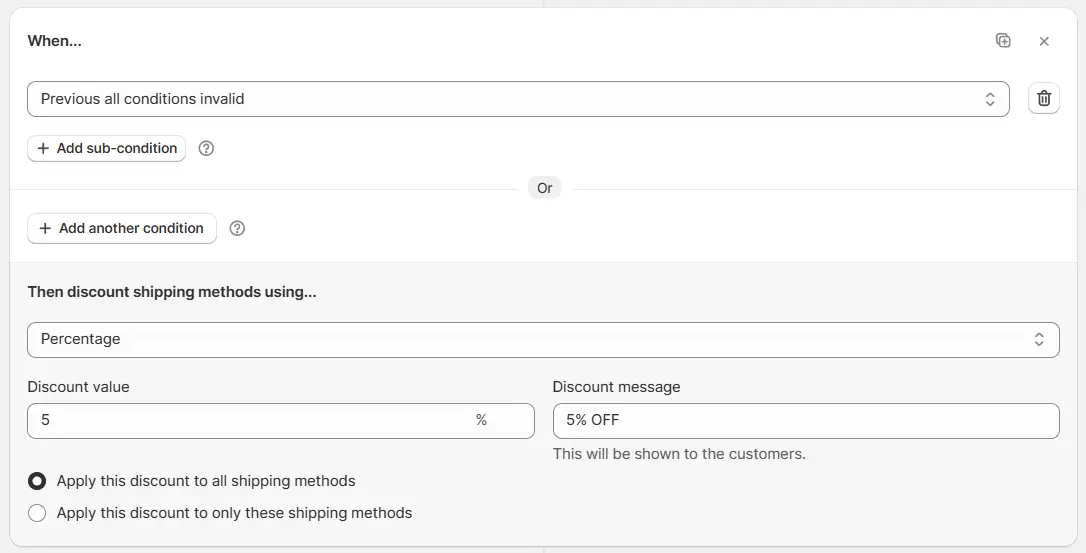
If none of the previous blocks match, you can add a fallback block with a condition of
Previous all conditions invalid
.
This acts as the
Else (default catch all)
and ensures that there is always a default
“Then” action
(e.g., apply 5% discount), when no previous blocks were executed.
Example: Previous all conditions invalid → Apply 5% OFF on all shipping
You should arrange the blocks in the order of highest priority to lowest priority. The first block is the highest priority and the last block is the lowest priority.
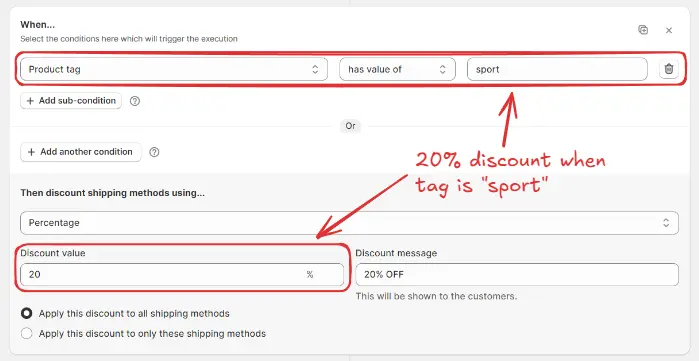
Let’s say you want to apply different shipping discounts based on product tags.
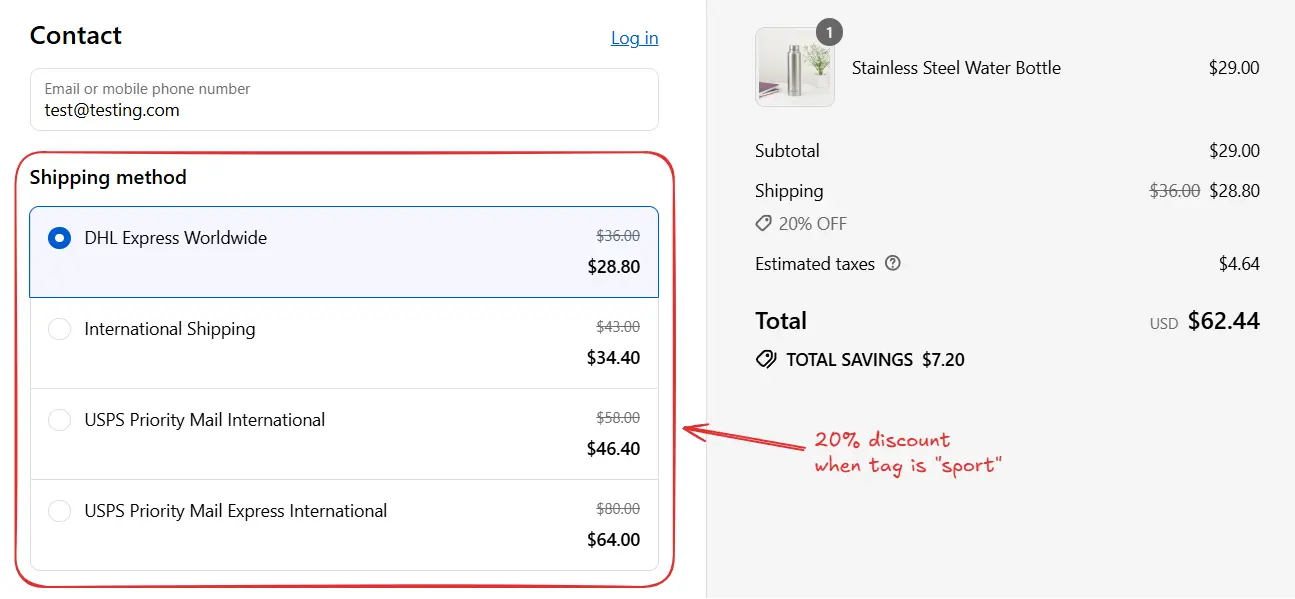
Block 1 (if) → Product tag has value of sport → Apply 20% off on all shipping (highest priority).
Adding the next block
To add a new block after the first one, you can either:
Click the “Add new block” button in the rule builder.

Or, copy the previous block and paste it below using the paste icon, then modify its conditions and actions.
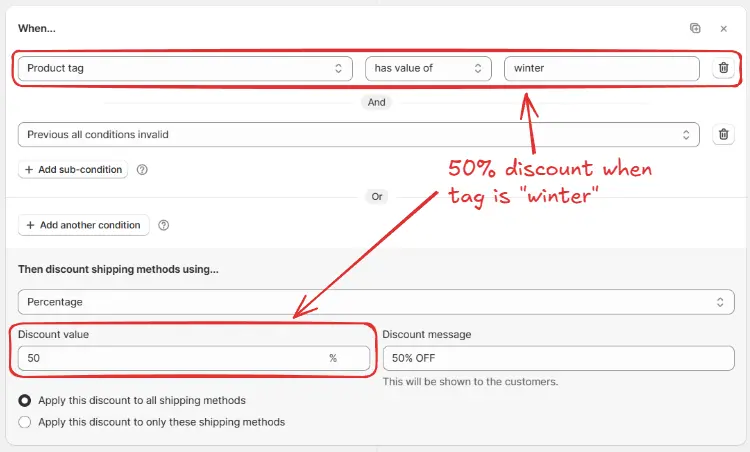
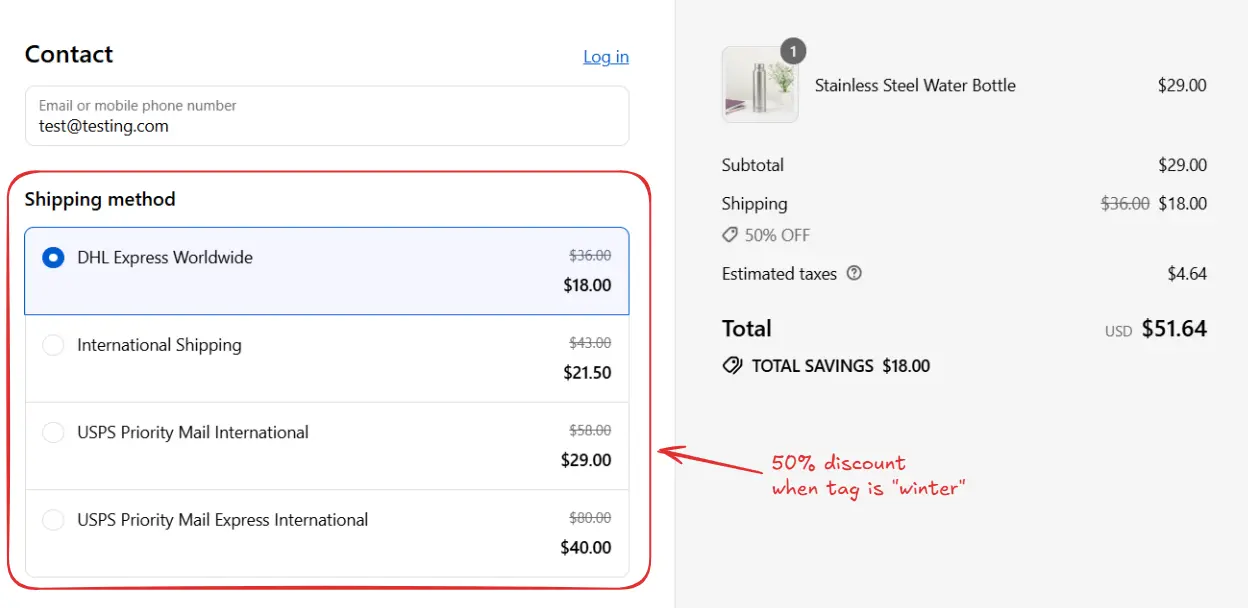
Block 2 (else if) → Product tag has value of winter AND Previous all conditions invalid → Apply 50% off on all shipping
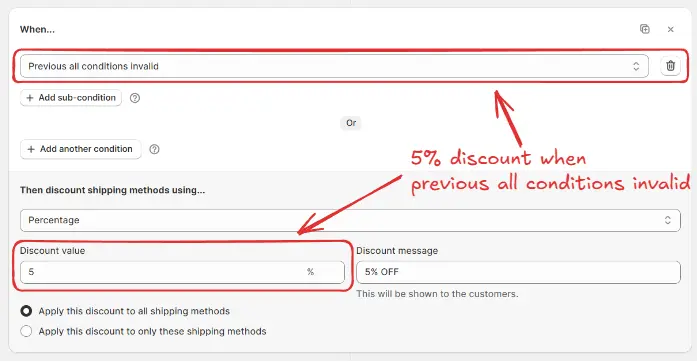
Block 3 (else) → Previous all conditions invalid → Apply 5% off on all shipping (default discount).
Here is how the whole rule setup will look.
The system starts with Block 1. If it matches (product tag = sport), 20% off shipping is applied, and the rule ends.
If Block 1 does not match, it checks Block 2. If product tag = winter, then 50% off shipping applies, and the rule ends.
If neither Block 1 nor Block 2 matches, Block 3 executes. Since it uses Previous all conditions invalid, it acts as a default catch all, applying 5% off shipping.